The endpoints described on this page are provided by the Import and Export modules.
Import and Export Feeds expose REST API endpoints for data exchange. Use these endpoints to integrate AtroCore with external tools, or to set up a custom REST API endpoint by configuring a data feed.
The "EasyCatalog Adapter" for Adobe InDesign uses the standard Import/Export Feed REST API.
Authentication
Note: All endpoint paths are case-sensitive. Use entity and action names exactly as shown (e.g.
ExportFeed,ImportFeed,exportData,runImport).
All requests require an Authorization-Token header. To obtain a token, send a GET request to /api/App/user with HTTP Basic authentication:
Authorization: Basic <base64(username:password)>The response contains authorizationToken. Include this value as a header in all subsequent requests:
Authorization-Token: <authorizationToken>Export Feed REST API
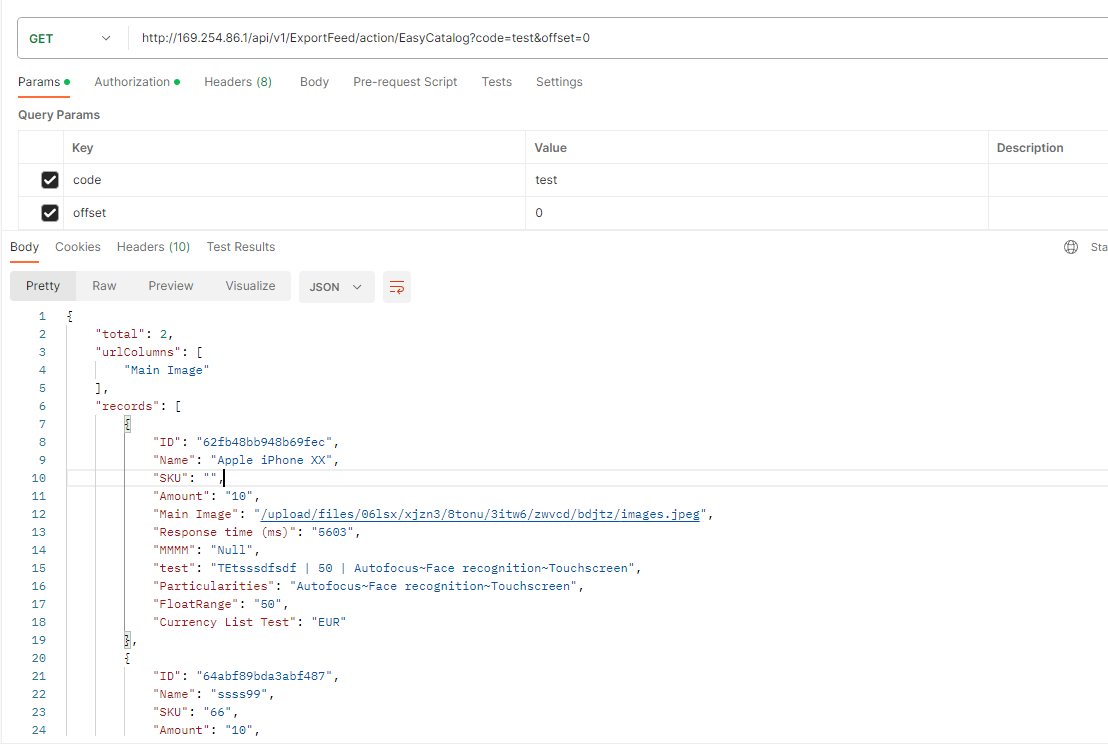
Get exported data
Retrieves paginated export data from a configured Export Feed by its code. Use this endpoint to read records programmatically without triggering an asynchronous job.
GET /api/ExportFeed/exportData?code=<ExportFeedCode>&offset=<offset>
Authorization-Token: <authorizationToken>
Query parameters:
code– Export Feed codeoffset– Starting record index (default:0)
Response format:
{
  "total": 100,
  "urlColumns": ["imageUrl"],
  "records": [...]
}total– total number of available recordsurlColumns– list of field names that contain asset URLsrecords– array of record objects
Paginate by incrementing
offsetby the number of records returned in each response, untiloffset >= total.
Trigger export using a saved Export Feed
Schedules an asynchronous export job based on an existing Export Feed configuration.
POST /api/ExportFeed/<ExportFeedId>/exportFile
Authorization-Token: <authorizationToken>ExportFeedId– ID of the Export Feed record
Response: true if the export job was created successfully, false otherwise.
Trigger ad-hoc export without a saved feed
Generates an export file directly for selected records and fields, without requiring a pre-configured Export Feed. Supports simple field types only — for complex export requirements, configure a dedicated Export Feed and use exportFile instead.
POST /api/ExportFeed/directExportFile
Authorization-Token: <authorizationToken>
Content-Type: application/json
Request body:
{
  "scope": "Product",
  "fileType": "csv",
  "fieldList": ["name", "sku", "price"],
  "entityFilterData": {
    "byWhere": true,
    "selectData": {
      "select": "id,name"
    },
    "where": [
      {
        "type": "isNotNull",
        "attribute": "name"
      }
    ]
  }
}scope– entity type to export (e.g."Product")fileType– output format:"csv"or"xlsx"fieldList– list of fields to include in the exportentityFilterData– filter configuration to limit which records are exported
Response: true if the export job was created successfully, false otherwise.
Verify Export Feed configuration
Checks that the Export Feed identified by its code is correctly configured and contains a required ID column.
GET /api/ExportFeed/verifyFeedByCode?code=<ExportFeedCode>
Authorization-Token: <authorizationToken>
Query parameters:
code– code of the Export Feed to verify
Response: a result object indicating whether the feed configuration is valid.
Import Feed REST API
Trigger import using a saved Import Feed and a file
Schedules an asynchronous import job based on an existing Import Feed configuration and a previously uploaded file attachment.
POST /api/ImportFeed/action/runImport
Authorization-Token: <authorizationToken>
Content-Type: application/json
Request body:
{
  "importFeedId": "<ImportFeedId>",
  "attachmentId": "<AttachmentId>"
}importFeedId– ID of the Import Feed recordattachmentId– ID of the uploaded file to import
Response: true if the import job was created successfully, false otherwise.
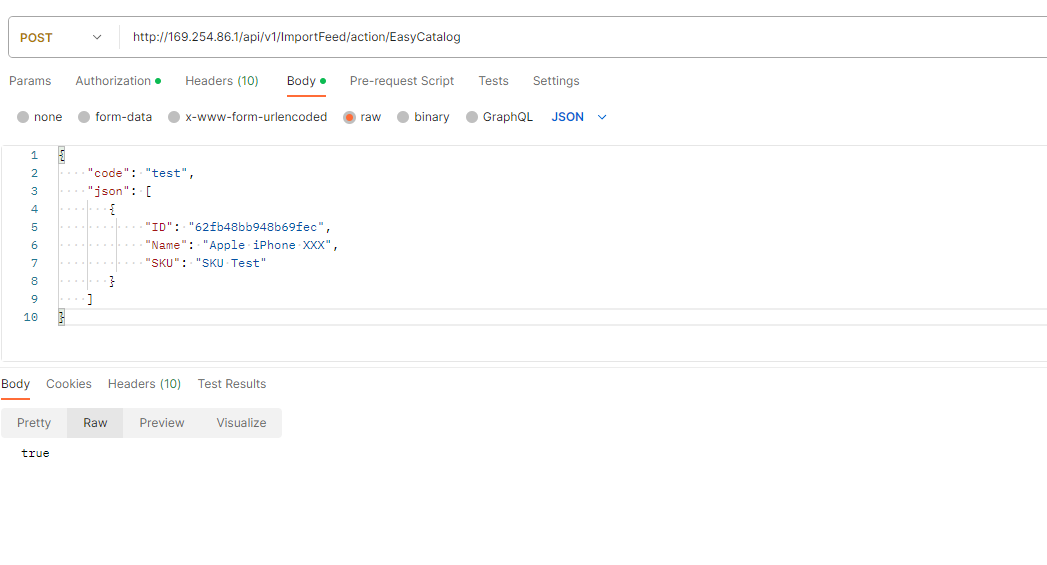
Import inline JSON data
Imports records provided directly in the request body, using the configuration of a named Import Feed.
POST /api/ImportFeed/importData
Content-Type: application/json
Request body:
{
  "code": "<ImportFeedCode>",
  "json": [
    { "ID": "record-id-1", "fieldName": "value" },
    { "ID": "record-id-2", "fieldName": "value" }
  ]
}code– code of the Import Feed to usejson– array of record objects to import
Response: true if the import was accepted successfully, false otherwise.
Verify Import Feed configuration
Checks that the Import Feed identified by its code is correctly configured and contains a required ID column.
GET /api/ImportFeed/verifyFeedByCode?code=<ImportFeedCode>Query parameters:
code– code of the Import Feed to verify
Response: a result object indicating whether the feed configuration is valid.