Export: Database extends Export Feeds to automate data export directly from AtroCore into external databases, eliminating the need for intermediate file handling. Connect to your existing MySQL, PostgreSQL, or MSSQL databases and push data using configurable SQL templates.
Schedule regular exports via Scheduled Jobs and Synchronization to keep external systems synchronized automatically.
Module
Export Feedsis required for this module to work.
Configuration
Export feed configuration works the same for all export feed types, except for the Export Data Settings section which is specific to each type. See Export Feeds for general export feed setup.
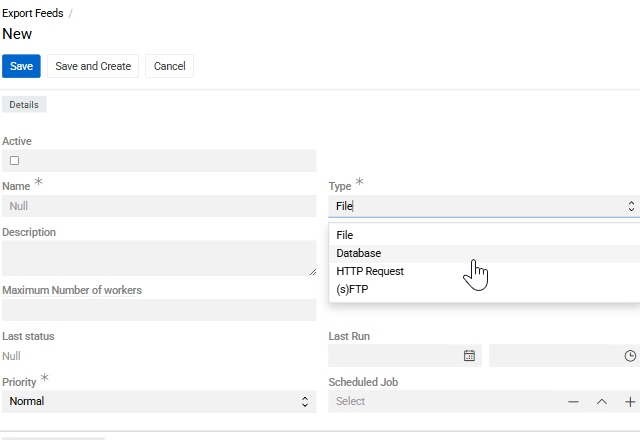
Create an Export Feed with Type set to Database.
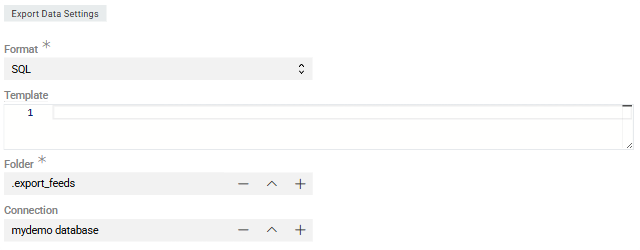
In the Export Data Settings section:
- Format – only
SQLis available for this export type.
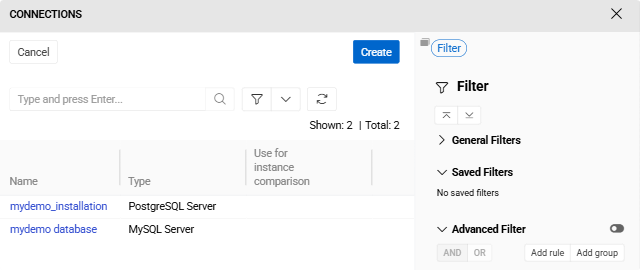
- Connection – select an existing Connection or create a new one. Supported database types: MySQL Server, PostgreSQL Server, Microsoft SQL Server, PDO SQL, and Vertica DB.
- Template – SQL template defining how data is written to the target database (INSERT, UPDATE, or UPSERT statements).
After saving the connection, it becomes available for reuse across multiple export feeds.
This export type does not use the
Configurator. Field selection and mapping are defined directly in the Template field.
Further Configuration
All other aspects of export feed configuration and usage are the same as for standard file-based exports: record filtering in the Filter panel, running exports and export executions.