Module Export: Remote File extends Export Feeds to automate data exports to remote file locations, eliminating the need for manual file transfers.
Configure your export feed once with a destination directory path and file name, and the system automatically delivers the exported file to the remote location when the export runs.
Schedule regular exports via Scheduled Jobs to keep your remote destinations up to date automatically.
Module
Export Feedsis required for this module to work.
Configuration
Export feed configuration works the same for all export feed types, except for the Export Data Settings section which is specific to each type. See Export Feeds for general export feed setup.
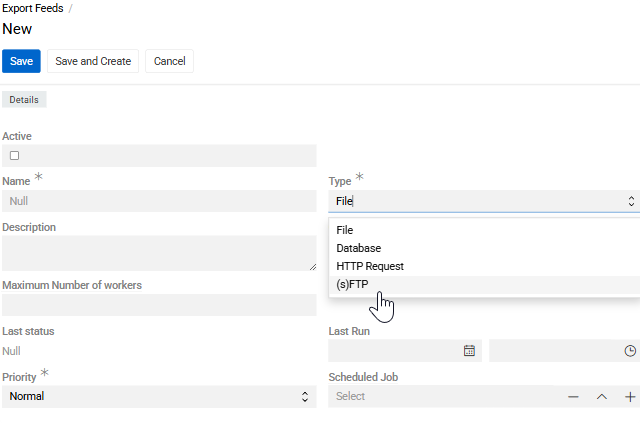
Create an export Feed with Type set to (s)FTP.
In the Export Data Settings section:
Fields Format, File Name Mask, Header Row, Field Delimiter, and Text Qualifier work the same for both (s)FTP and Path types as described in Export Feeds.
(s)FTP
Deliver files to remote servers via FTP or SFTP protocols. Requires setting up a Connection entity with server credentials of type FTP or SFTP.
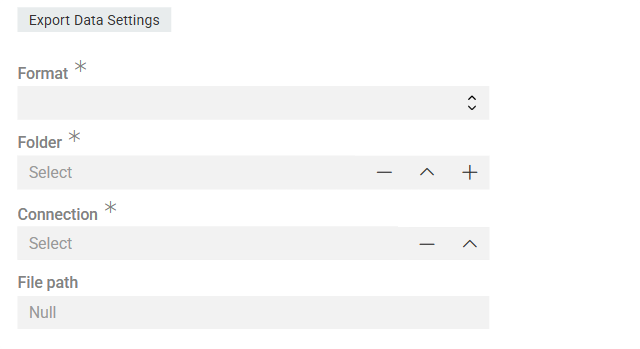
- Connection – select or create a Connection of the required type (only FTP or SFTP).
- File Path – path to the destination directory on the (s)FTP server.
- File Name – the name of the file to be created on the remote server. Supports Twig syntax for dynamic naming (e.g., including a date or timestamp)
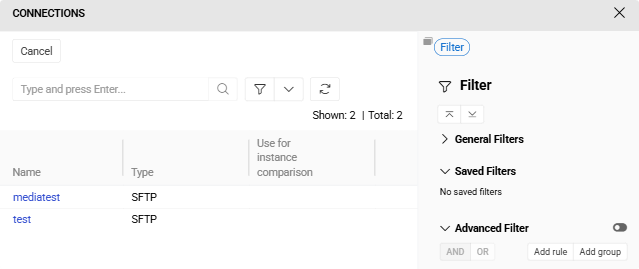
Connection menu
Here you can select established connections or create a new one. Use Name, Host and Port to locate it and User and Password for the system to get access to it.
Further Configuration
All other aspects of export feed configuration and usage are the same as for standard file-based exports: field mapping in the Configurator, record filtering in the Filter panel, running exports and export executions.