Overview
The Account entity provides centralized management of all customer, supplier, and business partner accounts within the system.
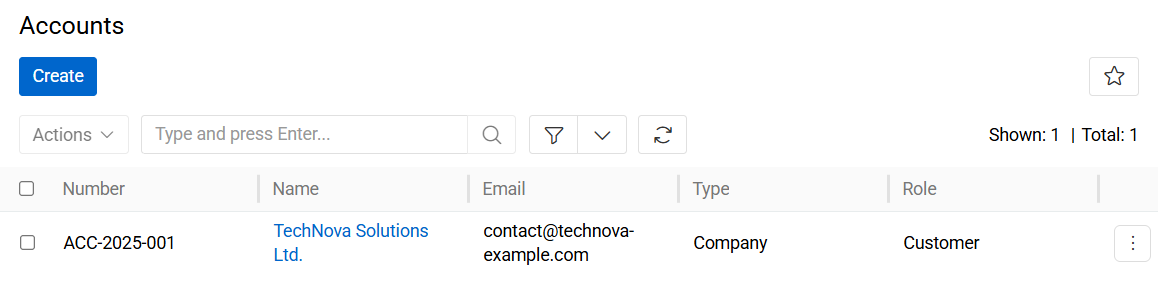
Account records are used to store organizational or individual business information and serve as the primary entity for commercial and communication-related processes.
The Account entity is commonly used in:
- Customer and supplier management
- Sales and quotation workflows (if Sales module is activated)
- Subscription management (if Sales module is activated)
- ERP and external system integrations
- Billing and communication processes
Managing Accounts
To manage Account records, navigate to: Administration > Accounts. The Account list view displays all existing address records available in the system.
Users can:
- Search for accounts by name, number, email, phone, or related data
- Create new Account records
- Edit existing Accounts
- Remove obsolete Account records
The search bar supports quick filtering and navigation within large account datasets.
Account Fields
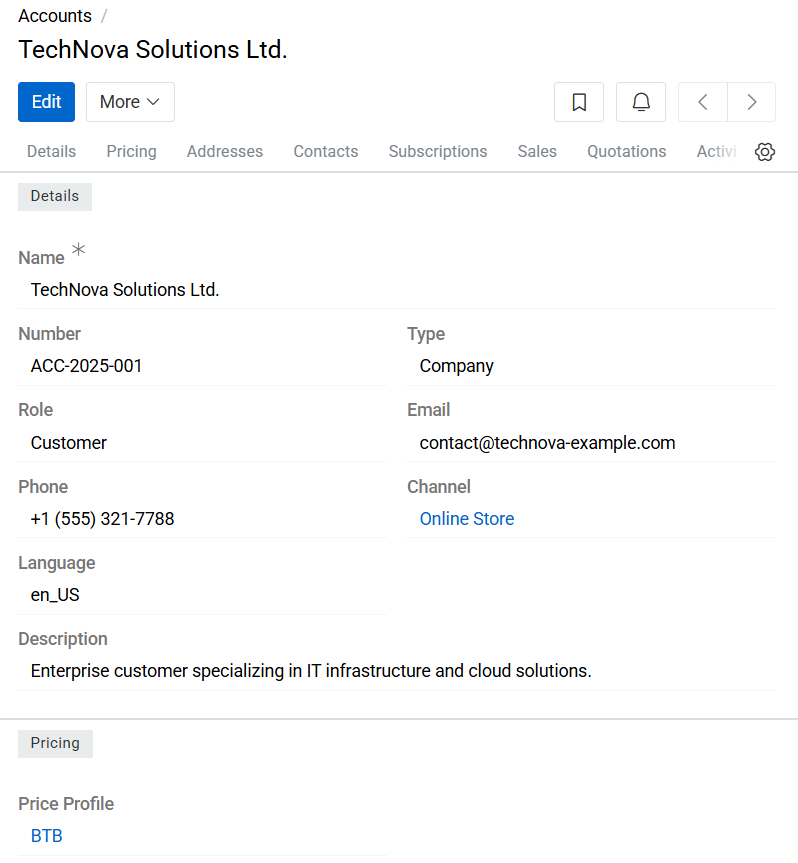
- Name: Defines the display name of the Account.
- Number: Specifies the internal or external account number used for identification.
- Type: Defines the account type. Default values include:
- Company — organizational or legal entity
- Individual — private person or individual customer
- Role: Defines the business role of the Account within the system. Default values include:
- Customer
- Supplier
- Email: Stores the primary email address associated with the Account.
- Phone: Stores the primary phone number associated with the Account
- Channel: Reference to the related Channel record.
- Language: Defines the language code associated with the Account. This value may be used for localized communication, content rendering, or export configuration.
- Description: Optional field used for additional administrative notes or comments related to the Account
Related Records
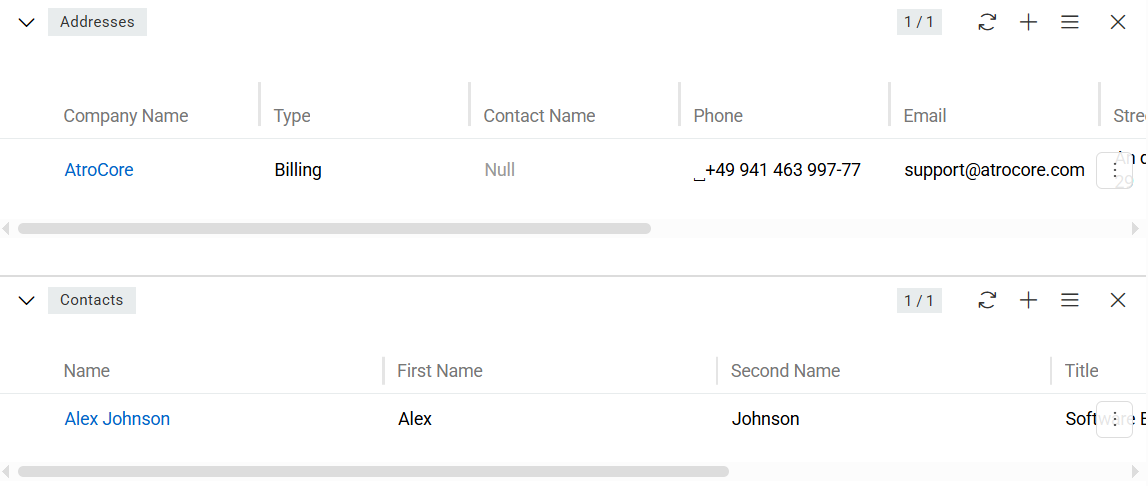
Account records can be linked to:
These relationships allow centralized management of communication and delivery information associated with the Account.
If the Sales module is installed, Account records are also be used within this module.