Prefixes allow you to attach a short label before a field value — for example approx., min., max., or Dr.. They can be used on Float, Integer, and String fields and attributes.
To manage Prefixes, go to Administration > Prefixes.
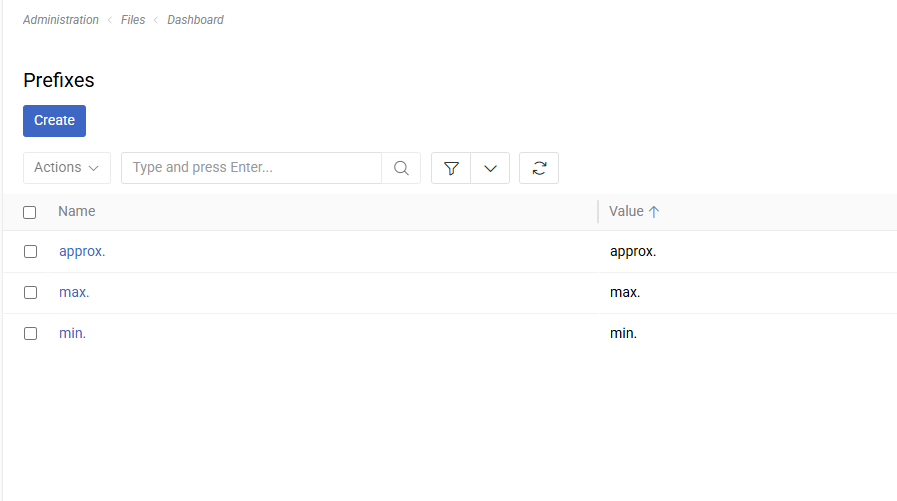
Prefix Fields
- Name: A human-readable label for the prefix (e.g., "Approximate", "Doctor"). Used for identification in the admin panel.
- Value: The string displayed before the field value in the UI (e.g.,
approx.,Dr.). This is what end users see.
Enabling Prefixes on a Field
To enable prefix selection on a field:
- Go to
Administration > Entity Managerand open the entity. - Edit a Float, Integer, or String field.
- Check the Enable Prefix option and save.
The Enable Prefix option is only available for
Float,Integer, andStringfield types when Is Multilingual is turned off.
Once enabled, a prefix dropdown appears before the value input when editing the record. In detail and list views, the selected prefix value is displayed immediately before the field value (e.g., approx. 3.5 or Dr. Smith).
When combined with a Measure, the prefix appears first: approx. 3.5 kg.
Restricting Available Prefixes
By default, all Prefix records are available in the dropdown. To limit which prefixes are selectable for a specific field, use the Allowed Prefixes panel on the field or attribute configuration — this lets you apply filter conditions that restrict the visible prefixes.
If no filter is configured, all Prefix records are shown.
Prefixes on Attributes
Prefixes work the same way on attributes. Enable the Enable Prefix checkbox on an int, float, or varchar attribute (only when Is Multilingual is off). The prefix selection then appears on every record that has that attribute assigned.
Display
| Context | Example |
|---|---|
| Edit mode | Prefix dropdown + value input (+ unit dropdown if Measure is set) |
| Detail view | approx. 3.5 or approx. 3.5 kg |
| List view | approx. 3.5 or approx. 3.5 kg |
The Value field of the Prefix record is used for display (not Name). This allows you to keep a descriptive admin name (e.g., "Approximate") while showing a concise label to users (e.g., approx.).